CoverFor Android

The Komo owl reading a book

Shall we read together?

Komo

EPUB & PDF Reader

Read as if under a tree: leaf shadows drift across the page with the wind, and the rest of the world goes quiet.

Get it onGoogle PlayComing soon to theApp StoreSoon

FreeNo adsNo accountYour books never leave your phone
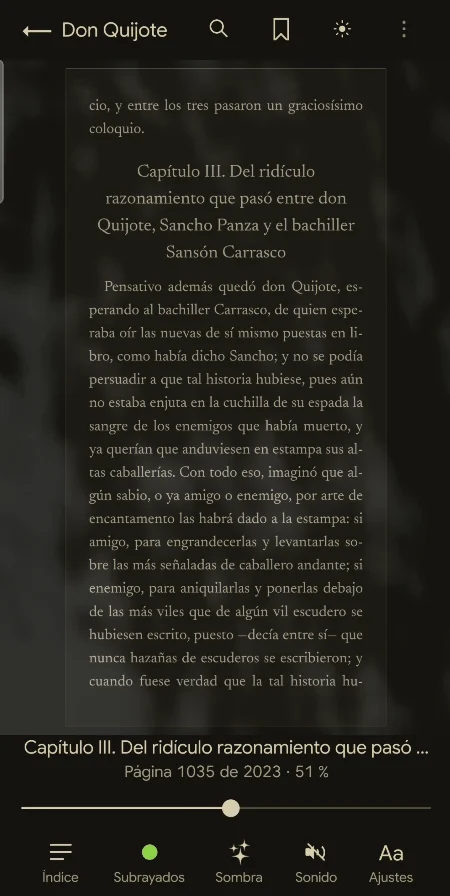
Komo reading Don Quixote with the shadow of a tree over the page

The reader

Read

A shadow of leaves across the page.

Komo lays tree light over your book: patches of sun drifting slowly, like an afternoon in the park. Add the sound of the wind if you like.

  • Shadow and sound that turn on with a tap and never get in the way of the text.
  • Turn the page with your finger, smooth, like a paper book.
  • Reading settings: serif and sans fonts, Atkinson Hyperlegible and OpenDyslexic, size, margins and brightness.
  • Contents, bookmarks, highlights and search inside the book.
  • Dictionary: tap a word and see what it means without leaving the page.
A page of Don Quixote in Komo with contents, highlights, shadow, sound and settings at the bottom

Don Quixote, chapter III, with shadow.

The shelf

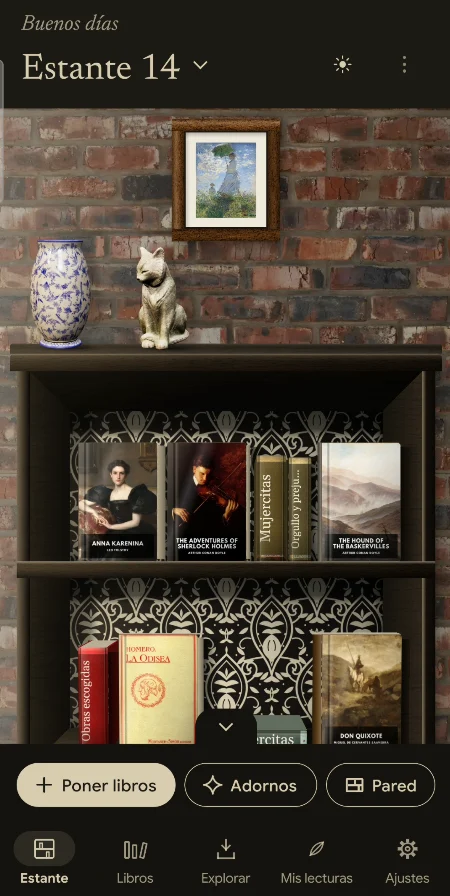
Komo wooden bookshelf with books, a vase, a stone cat and a painting on a brick wall

A shelf with a vase, a cat and a Monet.

Your corner

Your books, standing on a real shelf.

Covers look like books on wood, not files in a list. Arrange them your way and decorate the shelf.

  • Place books on each shelf and move them wherever you like.
  • Ornaments: vases, figurines and paintings to make the shelf yours.
  • Walls: brick, wallpaper and other backdrops for the room.

My books

Library

EPUB and PDF, all in one place.

Import books from your phone or open them straight from another app. Komo remembers the page where you left off.
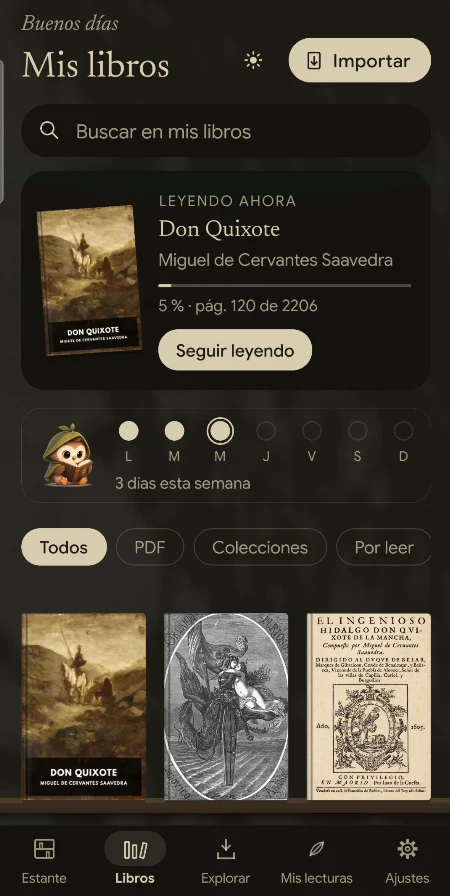
  • Keep reading with your progress and the exact page.
  • Your reading week: the owl marks the days you read.
  • Collections and filters: all, PDF, to read.
  • Search across all your books.
Komo My books screen with Don Quixote at 5%, the reading week and the library

Reading now, and three days this week.

Classics
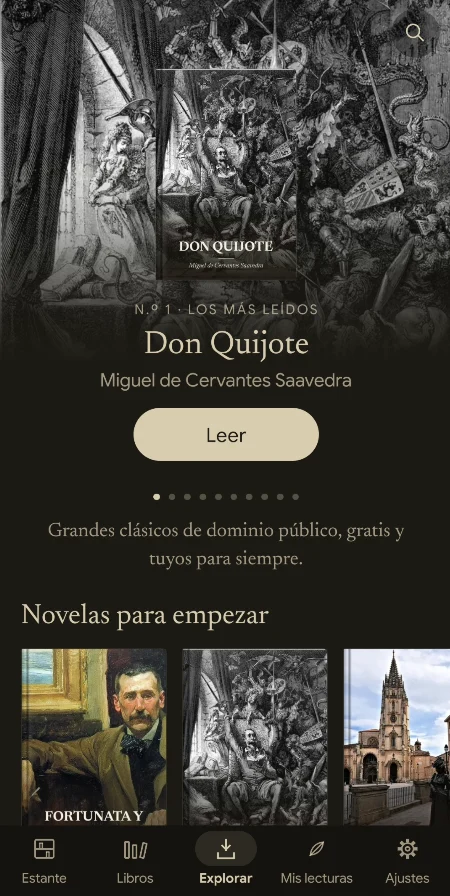
Komo Explore screen with Don Quixote as the most read and novels to start with

No. 1 most read.

Explore

Great classics, free and yours forever.

A library of public-domain works ready to read: Cervantes, Galdós, Tolstoy, Conan Doyle and many more, with carefully made covers.

  • One tap to read: the book downloads and lands on your shelf.
  • Collections to start with: novels, most read and more.
  • Offline once downloaded.

Free and Pro

Pricing

Reading is free. No ads, ever.

Everything you need to read is in the free version. Komo Pro is for those who want more atmospheres for their reading corner.

Free

Forever

  • Full EPUB and PDF reader
  • Tree shadow and sound
  • Shelf, collections and progress
  • Public-domain classics
  • No ads and no account

Komo Pro

One-time or yearly · on Google Play

  • More atmospheres, fonts and sounds
  • More furniture, ornaments and walls
  • Everything new that comes to Pro
  • No sign-up: the purchase stays with your Google account

Questions

Frequently asked

What people usually ask.

What books can I read?

Any EPUB or PDF file without DRM. Books bought from stores that lock them with DRM (like Kindle) cannot be opened in other apps.

Do I need an account?

No. Komo has no sign-up or login. Your books, progress and highlights are saved only on your phone.

Why does it ask for access to my files?

To find and open the EPUB and PDF files already on your phone. Komo never uploads your files anywhere. Details in the privacy policy.

Does it work offline?

Yes. You only need a connection to download classics in Explore, look up a word on Wikipedia, and buy Pro.

Is there an iPhone version?

It’s on its way. Komo is on Android for now; the iPhone version is coming soon.

I changed phones. Do I lose Pro?

No. Install Komo with the same Google account and tap “Restore purchases” in Settings.

Colophon

Get Komo

Happy reading.

Find a shady corner, even if it’s on your phone.

Get it onGoogle PlayComing soon to theApp StoreSoon

Ideas, bugs or questions? Write to us at contact@getkomo.app.

I’ll keep your page.